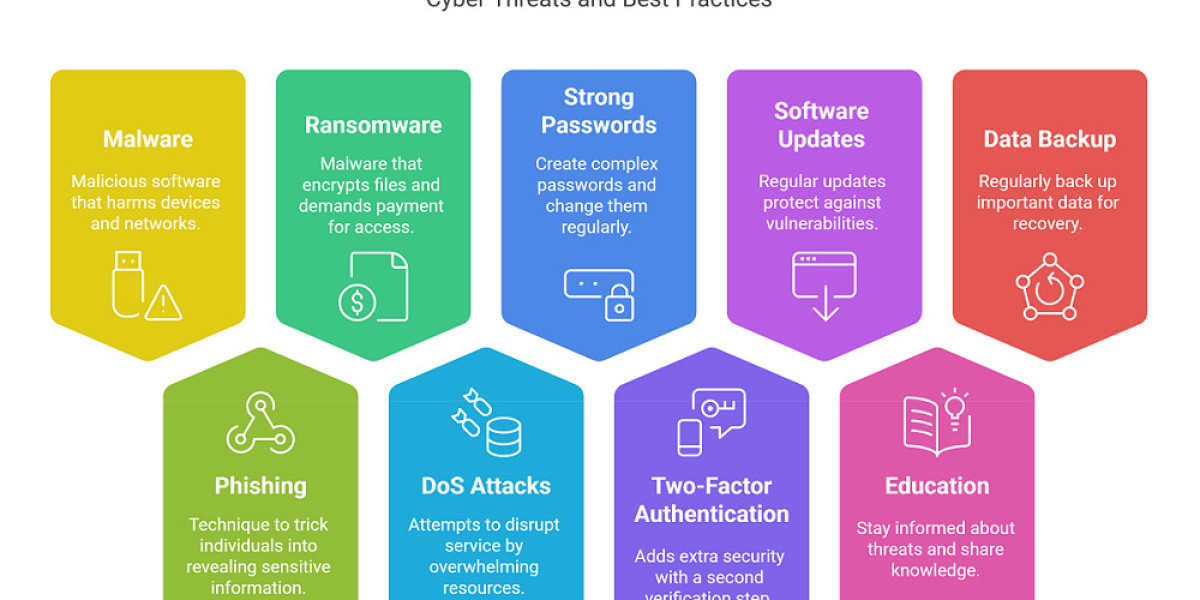

Understanding Cybersecurity
Cybersecurity is the practice of protecting computers, mobile devices, networks, applications, and information from unauthorized access, theft, damage, or disruption. It matters to individuals, businesses, schools, governments, and other organizations because everyday activities increasingly depend on digital systems. Cyber threats range from deceptive emails and stolen passwords to malicious software, data breaches, and attacks that interrupt essential services. Strong cybersecurity combines technology, sensible procedures, and informed people. No single tool can prevent every incident, and even well-protected systems can be targeted. The goal is to reduce risks, spot suspicious activity quickly, and limit harm when something goes wrong. Understanding basic threats helps people make safer choices, such as checking links before clicking, installing updates, and using unique passwords. Organizations also need clear security policies, trained staff, reliable backups, and plans for responding to incidents. Cybersecurity is not a one-time setup; it is an ongoing effort that adapts as technology and attacker methods change.
Common Cyber Threats
Cyber threats often exploit human behavior as well as technical weaknesses. Phishing messages impersonate trusted organizations or people to trick recipients into revealing passwords, opening harmful attachments, or sending money. Malware is software designed to steal information, monitor activity, disrupt systems, or demand payment. Ransomware, a type of malware, can encrypt files and pressure victims to pay for their return. Attackers may also guess or reuse passwords, exploit unpatched software, or take advantage of unsecured networks. Social engineering uses deception and urgency to persuade people to bypass normal safeguards. Not every suspicious message is sophisticated: poor grammar, unfamiliar senders, unexpected requests, and mismatched web addresses can be warning signs. However, convincing scams may look entirely legitimate, so appearance alone is not proof of safety. Treat unexpected requests cautiously, verify them through a separate trusted channel, and avoid sharing sensitive information unless the recipient and purpose are confirmed. Reporting suspicious activity promptly can help prevent wider harm.
Build Strong Account Protection
Protecting online accounts starts with using a different, strong password for every important service. Long passphrases are often easier to remember and harder to guess than short, predictable passwords. A reputable password manager can create and store unique credentials, reducing the temptation to reuse them. Turn on multifactor authentication wherever available. This requires an additional proof of identity, such as an authenticator-app code, security key, or approved device prompt, alongside the password. A text-message code may be better than no second factor, though stronger options are preferable when available. Never share verification codes with someone who contacts you unexpectedly; scammers may use them to take over an account. Keep recovery email addresses and phone numbers current, and review account activity and connected devices periodically. For work and personal accounts, follow your organization’s security requirements. If a password may have been exposed, change it immediately on the affected service and anywhere it was reused, then enable multifactor authentication.
Keep Devices and Software Updated
Software updates often fix security weaknesses that attackers could otherwise exploit. Enable automatic updates for operating systems, browsers, applications, and security tools when practical, and restart devices when required to complete installation. Download apps only from trusted sources, and remove programs you no longer use, especially if they no longer receive updates. Use device security features such as screen locks, encryption, and built-in protection against malicious software. Set a short automatic-lock period, and choose a strong PIN or password rather than an easily guessed pattern. Avoid connecting unknown USB devices, which could contain harmful software. On phones and tablets, review app permissions and limit access to location, microphone, camera, contacts, and files when those features are not necessary. Do not ignore warnings that a device or application is unsupported; consider replacing it or limiting its use for sensitive activities. Updates are not a complete defense, but timely installation closes known gaps and makes common attacks more difficult.
Browse, Email, and Connect Safely
Be cautious with links, attachments, pop-up messages, and unexpected downloads, even when they appear to come from familiar contacts. Check the full web address before entering passwords or payment details, and reach important services using a saved bookmark or the organization’s official app. A padlock or encrypted connection does not prove that a website is honest; fraudulent sites can also use encryption. Avoid conducting sensitive transactions on public Wi-Fi when possible. If you must use a shared network, use trusted services and consider a reputable virtual private network, while remembering that it cannot make every online activity safe. Turn off automatic connection to unknown networks and file sharing when they are unnecessary. Be thoughtful about what you post publicly, since personal details can help someone guess security answers or create convincing scams. When a message requests urgent payment, confidential information, or a change to bank details, verify it independently using a known phone number or communication channel.